
Best Microscope Settings for Mobile Repair Technicians

Best Microscope Settings for Mobile Repair Technicians

πŸ” Why Is a Microscope Important in Mobile Repair?

Modern smartphones use tiny SMD components and micro tracks on motherboards. Without a microscope, it’s almost impossible to repair issues like:

Jumper making on broken lines

IC reballing and soldering

Checking short components

Inspecting connector pins

Lekin microscope ka sahi focus, magnification aur lighting setup hi repair ko easy aur professional banata hai.

πŸ›  Recommended Microscope Types for Mobile Repair

Stereo Microscope (Binocular/Trinocular)

Most common for mobile repair

10x – 40x magnification

Clear 3D view of components

Digital Microscope (with LCD/PC output)

Good for teaching & demonstrations

Adjustable zoom (up to 1200x in some models)

Recording option for tutorials

Trinocular Microscope with Camera

Best for both working + recording

Useful for repair institutes

βš™οΈ Best Microscope Settings for Technicians

πŸ”§ 1. Magnification Settings

10x – 20x β†’ For general inspection (tracks, small capacitors, resistors)

25x – 40x β†’ For jumper wires, micro soldering, connector repair

50x+ β†’ For deep inspection (cracks in IC pins, reballing inspection)

πŸ‘‰ Rule: Use the lowest magnification that gives a clear view – it reduces eye strain.

πŸ”§ 2. Focus Adjustment

Always adjust focus so that the component appears sharp and crystal clear.

Keep your working distance (between microscope lens & motherboard) comfortable – around 10cm is ideal for soldering.

πŸ”§ 3. Lighting Settings

LED Ring Light is best β†’ Provides even light without shadows.

Adjust brightness according to surface reflection.

For shiny ICs or solder balls β†’ Use slightly angled lighting to avoid glare.

πŸ”§ 4. Camera/Display Settings (if using Digital Microscope)

Resolution: 1080p minimum for clear recording.

Frame rate: 30–60 FPS for smooth video.

Brightness/Contrast: Adjust to highlight tiny solder joints.

⚑ Pro Tips for Using Microscope in Mobile Repair

Keep your eyes 2–3 cm away from eyepiece to reduce strain.

Always secure motherboard on a PCB holder for stable view.

Use anti-glare lens covers if you work long hours.

If doing reballing β†’ magnification around 35x is most comfortable.

Clean the microscope lenses regularly with microfiber cloth.

βœ… Benefits of Correct Microscope Settings

Precision in micro soldering

Faster repair time

Reduced mistakes on fine components

Less eye fatigue for technicians

Professional results for customers

πŸ“Œ Meta Description (SEO)

Best Microscope Settings for Mobile Repair Technicians explained. Learn ideal magnification, focus, lighting, and pro tips to make micro soldering and board repairs easier.

πŸ”– Tags (Ready-to-Paste)

best microscope settings, microscope for mobile repair, mobile repairing microscope guide, microscope magnification soldering, mobile repair tools, trinocular microscope setup, digital microscope mobile repair, soldering under microscope

πŸ‘‰ Jani, yeh guide technicians aur students dono ke liye bohot kaam ki hai.

Kya chahte ho mai agli baar likhun β€œHow to Use DC Power Supply in Mobile Repairing – Complete Guide”?

You said:

Ab is pr likhy

Importance of Oscilloscope in Mobile Repair

ChatGPT said:

Shandar topic jani πŸ”₯

Oscilloscope ka use har advanced mobile repair technician ko ana chahiye, warna motherboard level kaafi issues samajhna mushkil hojata hai. Chalo detail aur professional guide likhte hain:

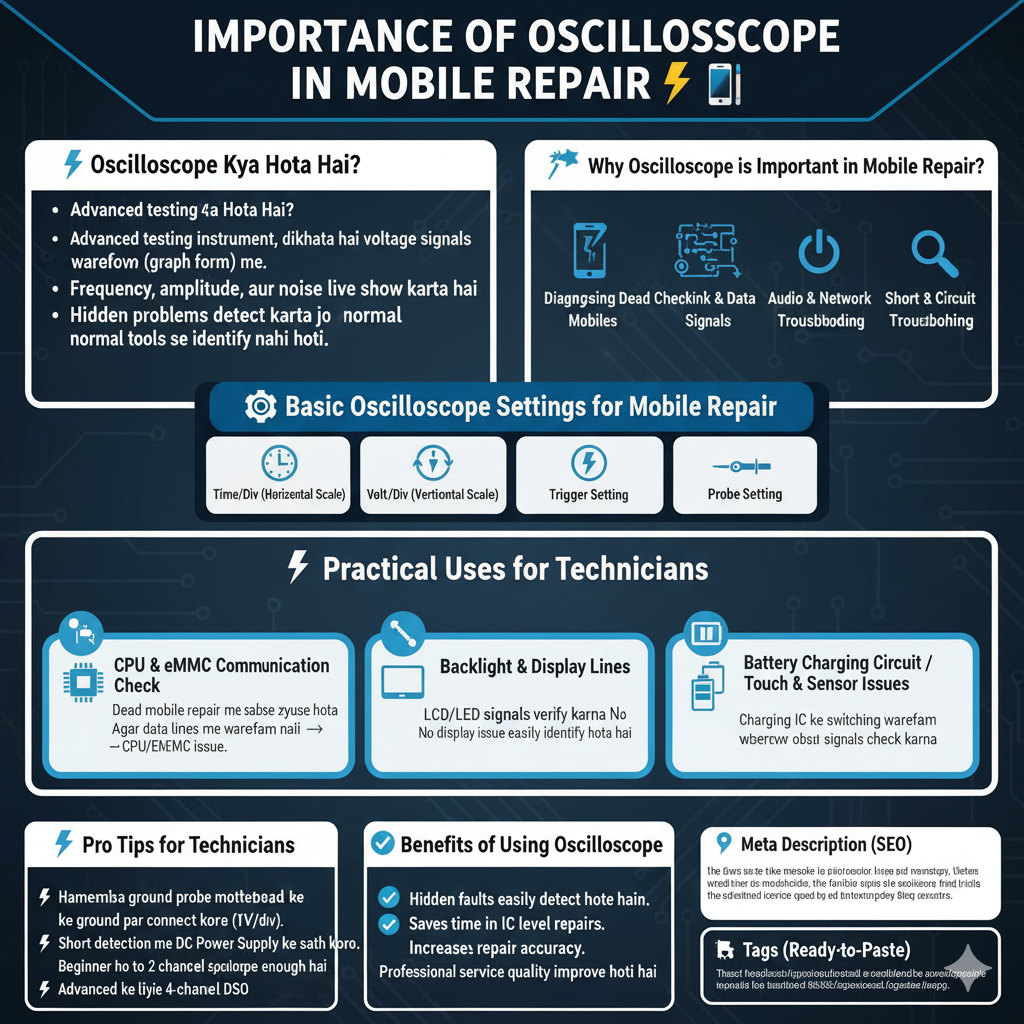
Importance of Oscilloscope in Mobile Repair βš‘πŸ“±

πŸ” Oscilloscope Kya Hota Hai?

Oscilloscope ek advanced testing instrument hai jo voltage signals ko waveform (graph form) me dikhata hai. Simple multimeter sirf voltage, resistance ya continuity batata hai, lekin oscilloscope signal ka behavior live show karta hai – jaise frequency, amplitude, aur noise.

Mobile repairing me, ye tool hidden problems detect karne ke liye best hai jo normal tools se identify nahi hoti.

πŸ›  Why Oscilloscope is Important in Mobile Repair?

Diagnosing Dead Mobiles

Boot sequence signals check karne ke liye.

CPU aur eMMC ke communication signals dekhne ke liye.

Checking Clock & Data Signals

Crystal oscillator ka waveform verify karna.

I2C, SPI, aur UART data signals inspect karna.

Power IC Testing

Output rails (1.8V, 2.8V, 3.7V etc.) ke stability & ripple check karna.

Agar line noisy ho to mobile boot issue create hota hai.

Audio & Network Troubleshooting

Audio IC me signals verify karna.

RF/Network circuits me waveform dekhna.

Short Circuit Analysis

PCB par unusual waveforms trace karke faulty component identify karna.

βš™οΈ Basic Oscilloscope Settings for Mobile Repair

Time/Div (Horizontal Scale): Adjust to capture signal speed (e.g., fast clock signals need smaller scale).

Volt/Div (Vertical Scale): Adjust according to signal level (1V, 3.3V etc.).

Trigger Setting: Stable waveform ke liye proper trigger set karna.

Probe Setting: Use x10 probe for motherboard testing (better accuracy).

πŸ”§ Practical Uses for Technicians

CPU & eMMC Communication Check

Dead mobile repair me sabse zyada use hota hai.

Agar data lines me waveform nahi β†’ CPU/eMMC issue.

Backlight & Display Lines

LCD/LED signals verify karna.

No display issue easily identify hota hai.

Battery Charging Circuit

Charging IC ke switching waveform observe karna.

Touch & Sensor Issues

Capacitive touch signals check karna.

⚑ Pro Tips

Hamesha ground probe motherboard ke ground par connect karo.

Start with low voltage scale (1V/div) aur gradually increase karo.

Short detection me oscilloscope ko DC Power Supply ke sath use karna bohot effective hai.

Agar beginner ho, to 2-channel oscilloscope enough hai.

Advanced repair shops ke liye 4-channel digital storage oscilloscope (DSO) recommended hai.

βœ… Benefits of Using Oscilloscope

Hidden faults easily detect hote hain.

Saves time in dead mobile & IC level repairs.

Increases repair accuracy & success rate.

Professional service quality improve hoti hai.

Customer trust barhta hai jab aap advanced tools use karte ho.

Meta Description

Mobile Power Key / Volume Key Repair Guide. Learn easy step-by-step process to clean, test, replace, or jumper faulty keys in mobile phones.

Tags

mobile power key repair, volume button not working, mobile key jumper, power key solution, volume key problem, power button replacement, mobile repairing guide, mobile hardware repair
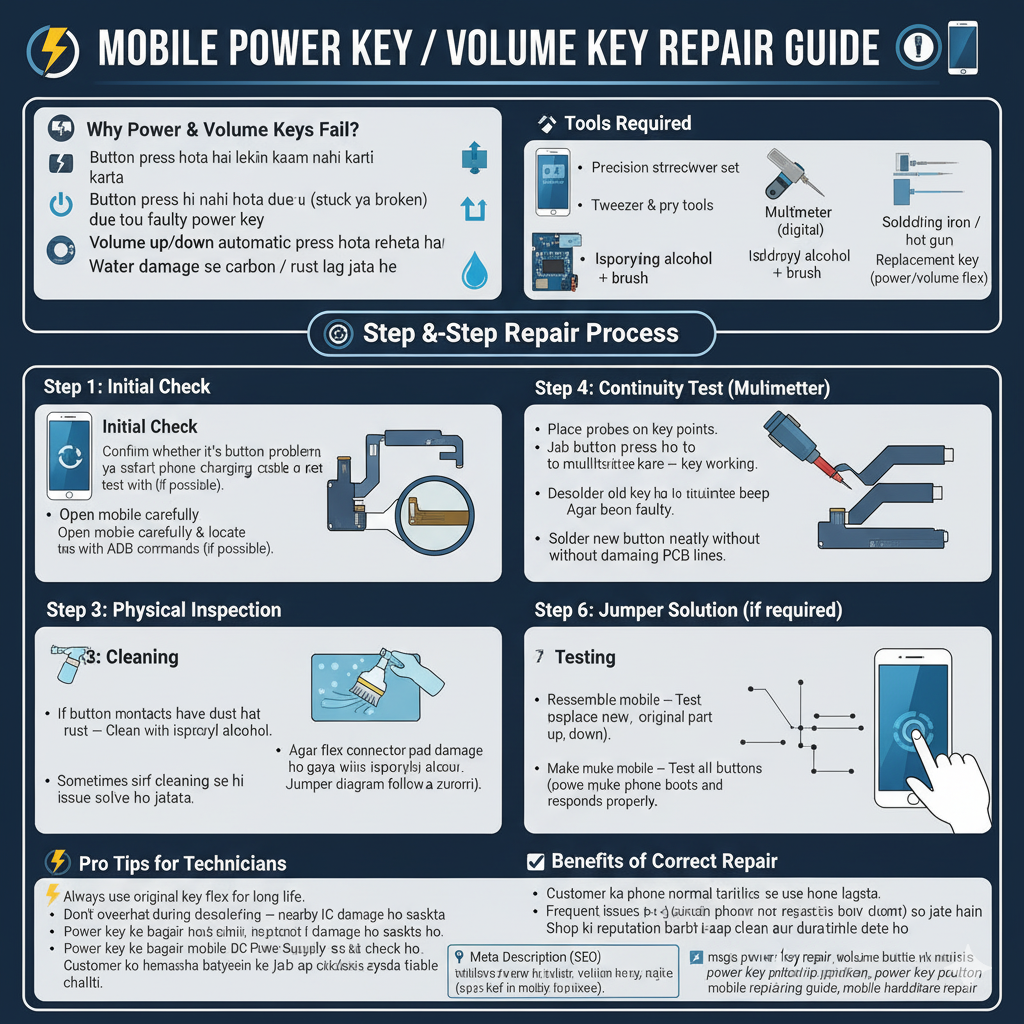
Mobile Power Key AND Volume Key Repair Guide

Mobile Power Key AND Volume Key Repair Guide

πŸ” Why Do Power & Volume Keys Fail?

Power key aur volume buttons mobile ke sabse zyada use hone wale parts hain. Rozana bar-bar press karne se ye kharab ho jate hain. Common issues:

Button press hota hai lekin kaam nahi karta

Button press hi nahi hota (stuck ya broken)

Phone on/off nahi hota due to faulty power key

Volume up/down automatic press hota rehta hai

Water damage se carbon / rust lag jata hai

Tools Required

Precision screwdriver set

Tweezer & pry tools

Multimeter

Soldering iron / hot air gun

Isopropyl alcohol + brush

Replacement key (power/volume flex)

Step-by-Step Repair Process

Step 1: Initial Check

Confirm whether it’s button problem ya software hang.

Restart phone using charging cable or test with ADB commands (if possible).

Step 2: Physical Inspection

Check button movement β†’ Free hai ya jammed.

Open mobile carefully & locate power/volume key flex.

Step 3: Cleaning

If button contacts have dust or rust β†’ Clean with isopropyl alcohol.

Sometimes sirf cleaning se hi issue solve ho jata hai.

Step 4: Continuity Test (Multimeter)

Place probes on key points.

Jab button press ho to multimeter beep kare β†’ key working.

Agar beep nahi β†’ button faulty.

Step 5: Replacement

If key/flex is broken β†’ Replace new original part.

Desolder old key carefully with hot air.

Solder new button neatly without damaging PCB lines.

Step 6: Jumper Solution (if required)

Agar flex connector pad damage ho gaya hai β†’ Jumper wire use karo.

Jumper diagram follow karna zaroori hai.

Step 7: Testing

Reassemble mobile β†’ Test all buttons (power, volume up, down).

Make sure phone boots and responds properly.

⚑ Pro Tips for Technicians

Always use original key flex for long life.

Don’t overheat during desoldering β†’ nearby IC damage ho sakta hai.

Power key ke bagair mobile DC Power Supply se jump start karke bhi check kar sakte ho.

Customer ko hamesha batayein ke duplicate keys zyada time nahi chalti.

βœ… Benefits of Correct Repair

Customer ka phone normal tarike se use hone lagta hai.

Frequent issues (auto restart, no boot) solve ho jate hain.

Shop ki reputation barhti hai jab aap clean aur durable repair dete ho.

Meta Description

Mobile Power Key / Volume Key Repair Guide. Learn easy step-by-step process to clean, test, replace, or jumper faulty keys in mobile phones.

Tags

mobile power key repair, volume button not working, mobile key jumper, power key solution, volume key problem, power button replacement, mobile repairing guide, mobile hardware repair

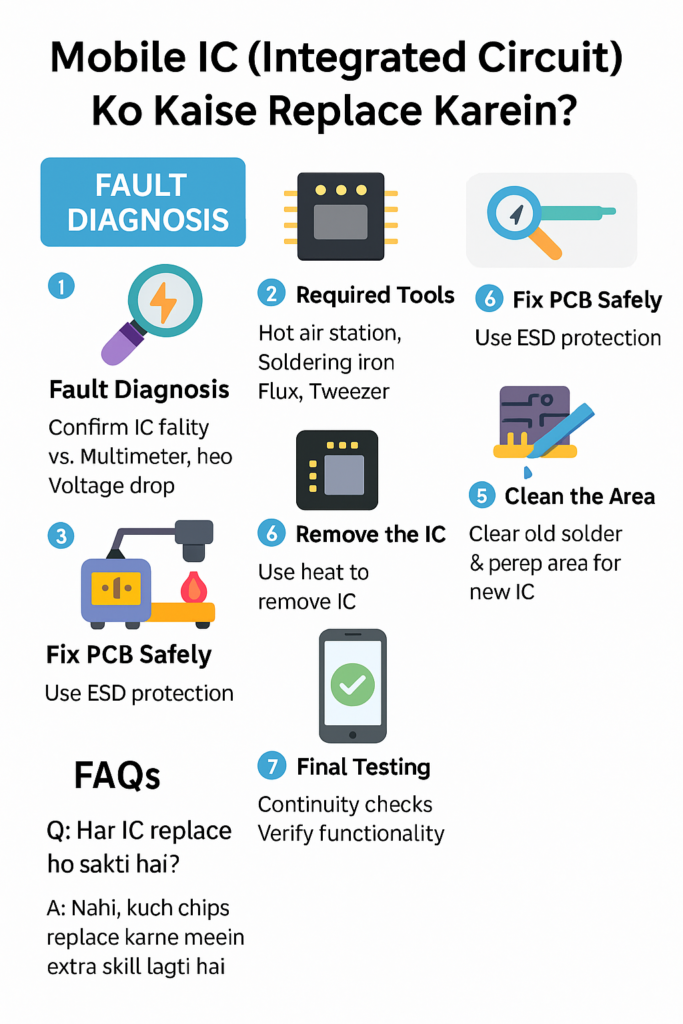
Mobile IC (Integrated Circuit) Ko Kaise Replace Karein? – Step by Step Guide

Meta Description:
Mobile IC replace kaise karein? Is guide mein janain mobile IC (Integrated Circuit) ki importance, uski replacement ka step-by-step process aur expert safety tips – sirf aaplusmobiles.com par!


πŸ” Mobile IC Kya Hoti Hai? Aur Kyun Zaroori Hai?

Mobile IC yaani Integrated Circuit, phone ke andar ek chhoti si chip hoti hai jo kisi specific function ko control karti hai. Har IC ka apna kaam hota hai, jaise:

  • Power IC – Battery aur power supply ko manage karta hai
  • Charging IC – Charging current ko regulate karta hai
  • Audio IC – Sound aur mic/speaker functions control karta hai
  • Network IC – SIM signals aur connectivity ka zimmedar hota hai
  • CPU / UEM / PMIC – Phone ka brain ya core circuits hote hain

Agar inmein se koi IC fail ho jaye, to mobile mein major issue aa sakta hai – jaise phone dead ho jana, charge na hona, network ka na aana, ya speaker/mic ka kaam na karna.


πŸ› οΈ Mobile IC Replacement Ka Step-by-Step Process

Step 1: Fault Diagnosis – Confirm Karen IC Hi Faulty Hai

Sabse pehle multimeter ya power supply se check karein:

  • Voltage drop ho raha ho
  • Heat aaraha ho IC se
  • Function (charge/sound/network) kaam na kar raha ho

πŸ‘¨β€πŸ”§ Pro Tip: Kabhi bhi bina proper diagnosis ke IC remove na karein.


Step 2: Required Tools Ready Karein

Achi IC replacement ke liye yeh tools hone chahiye:

  • Hot Air Rework Station
  • Soldering Iron
  • Flux Paste
  • Tweezer
  • Solder Wire
  • Microscope (recommended)
  • ESD Mat & Wrist Strap

Step 3: PCB Ko Safe Position Mein Fix Karein

PCB holder mein board ko fix karein. ESD protection ka khayal rakhna bohot zaroori hai.


Step 4: Heat Se Remove Karna

  • Hot air station ka temperature 300–350Β°C set karein
  • Nozzle ko thoda distance par rakhte hue heat apply karein
  • Jaise hi solder melt ho, IC ko tweezer se gently remove karein

⚠️ Caution: Zyada heat na dein warna adjacent components damage ho sakte hain


Step 5: Area Ko Clean Karna

Old solder ko remove kar ke area ko PCB cleaner aur flux se clean karein. Smooth surface ready karein new IC ke liye.


Step 6: New IC Lagana

  • New IC ko exact alignment ke sath place karein
  • Thoda flux lagayein
  • Heat gun se again gentle heating dein
  • Jaise hi solder melt ho, IC settle ho jata hai

πŸ’‘ Tip: Thoda press kar ke place karein taake evenly fix ho


Step 7: Final Cleaning & Testing

  • Area ko gently clean karein (alcohol + brush)
  • Multimeter se continuity check karein
  • PCB ko mobile body mein install karke phone on karein
  • Function test karein (charging, network, etc.)

πŸ§‘β€πŸ« FAQs – IC Replacement Se Pehle Ye Jaana Zaroori Hai

Q1: Har IC replace ho sakti hai?
πŸ‘‰ Nahi, kuch ICs like CPU ya PMIC BGA (Ball Grid Array) hoti hain jinke liye advanced tools aur experience chahiye.

Q2: IC Replacement ki cost kya hoti hai?
πŸ‘‰ IC type aur model pe depend karta hai. Common ICs like charging IC Rs. 300–700 tak cost karte hain.


🧯 Safety Tips

βœ… Hamesha ESD wrist band use karein
βœ… Overheat na karein
βœ… Sahi alignment zaroor ensure karein
βœ… Dummy board pe practice karein before real phone
βœ… Quality flux aur solder wire use karein


πŸ“‹ Summary

Mobile IC replacement ek technical aur precise kaam hai. Agar aap accurate diagnosis karein, sahi tools use karein aur safety protocols follow karein to aap kisi bhi faulty IC ko successfully replace kar sakte hain.

Chaahein aap beginner hoon ya expert, ye guide aapko professional technician banne ke liye help karegi.

πŸ”§ Aise aur expert-level guides ke liye visit karte rahiye:
πŸ“ aaplusmobiles.com – Learn Mobile Repairing, The Smart Way!


πŸ”Ž Focus Keywords:

  • Mobile IC replacement
  • How to change phone IC
  • Charging IC replacement guide
  • Power IC repair
  • Mobile circuit board repair